


HP Victus 15-FA2104TX Intel Core i7-13620H NVIDIA GeForce RTX 4050 with 6GB Graphics 15.6" FHD Gaming Laptop
৳ 142,999

Latest laptop price in Bangladesh ranges from BDT 35,499 to BDT 354,999, depending on the brand, processor, RAM, storage, and specifications. Check the latest laptops and order yours today.
Showing: (184 Items)
Filters
Price Range
Storage Type
Processor Brand
RAM
Operating System Filter
Storage Capacity
Graphics Type
Screen Size
GPU Brand
Processor Series
Brands
Showing: (184 Items)
HP Victus 15-FA2104TX Intel Core i7-13620H NVIDIA GeForce RTX 4050 with 6GB Graphics 15.6" FHD Gaming Laptop

Asus TUF A16 FA607NUG-WH73 AMD Ryzen 7-7445HS NVIDIA GeForce RTX 4050 With 6GB Graphic 16" Gaming Laptop
৳ 7,500 OFF

Lenovo LOQ 15AHP9 AMD Ryzen 7 7445HS NVIDIA GeForce RTX 4050 With 6GB Graphics 15.6" FHD Gaming Laptop
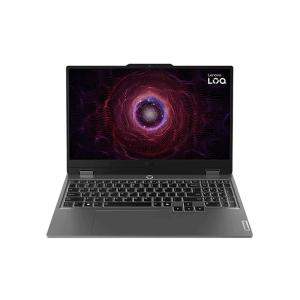
Lenovo LOQ 15AHP9 AMD Ryzen 7 7445HS NVIDIA GeForce RTX 3050 With 6GB Graphics 15.6" FHD Gaming Laptop
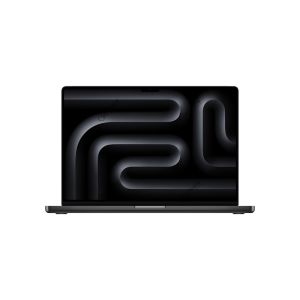
MacBook Pro M5 14-Inch 16/1TB 10-Core CPU 10-Core GPU
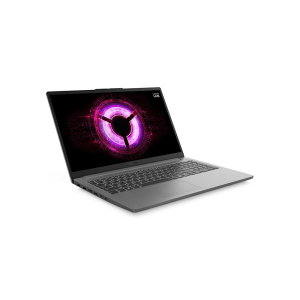
Lenovo LOQ 15ARP10E AMD Ryzen 7-170 NVIDIA GeForce RTX 4050 with 6GB Graphics 15.6" FHD Gaming Laptop

HP OmniBook 3 Intel Core Ultra 5 225U Integrated Intel Graphics 16" Touchscreen Laptop
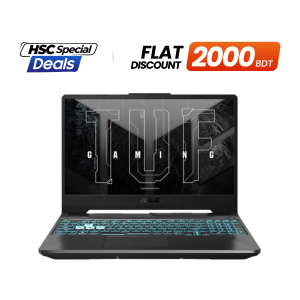
ASUS TUF Gaming A15 FA506NCG AMD Ryzen 7 8845HS NVIDIA GeForce RTX 3050 with 4GB Graphics 15.6" FHD Gaming Laptop
৳ 19,901 OFF
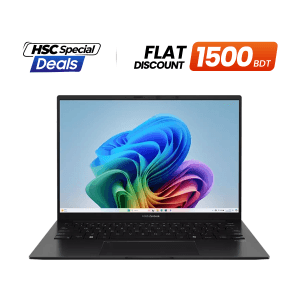
Asus Zenbook 14 OLED UM3405GA Ryzen AI 9 465 AMD Radeon Graphics 14” FHD Touch Laptop
৳ 18,910 OFF

HP 250R G10-Intel Core 3-100U Intel Graphics 15.6" FHD Laptop

HP 15-FD1310TU Intel Core Ultra 7-155H Intel Graphics 15.6” FHD Laptop
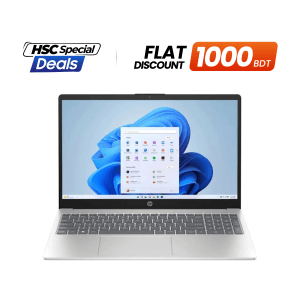
HP 15-fd1065nw Intel Core Ultra 5 125H Intel Arc Graphics 15.6" FHD Laptop
৳ 7,900 OFF
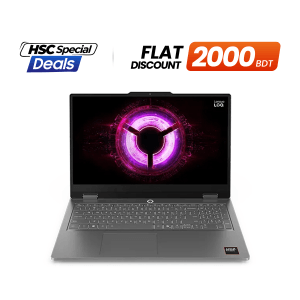
Lenovo LOQ 15ARP11 AMD Ryzen 5 150 NVIDIA GeForce RTX 5050 with 8GB Graphics 15.6" FHD Gaming Laptop
৳ 17,500 OFF
Asus Vivobook F1504MA-WB51 Intel Core 5 315 Integrated Intel Graphics 15.6" FHD Laptop

HP 15-FD0180nia Intel Core i3 1315U Intel UHD Graphics 15.6" FHD Laptop
৳ 6,490 OFF
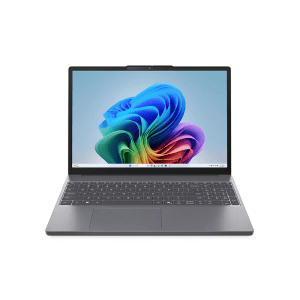
Lenovo IdeaPad Slim 3 15IWC11 Intel Core 5 320 15.3" WUXGA Laptop
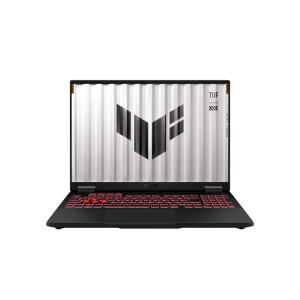
ASUS TUF Gaming A16 FA608UH AMD Ryzen 7 260 NVIDIA GeForce RTX 5050 with 8GB Graphics 16" FHD+ Gaming Laptop
৳ 21,000 OFF

ASUS TUF Gaming F16 FX607V Intel Core 5-210H NVIDIA GeForce RTX 3050 With 6GB Graphics 16" Gaming Laptop
A good laptop makes everyday work easier, whether you are attending classes, managing a business, working from home, or playing your favorite games. The laptop price in Bangladesh varies depending on the brand, processor, RAM, storage, graphics, and display quality. Entry-level laptops are suitable for basic computing, while premium models offer better performance for demanding applications.
At AG Computers in BD, you can explore a wide range of laptops from popular global brands. Compare the latest specifications, available prices, and features in one place to find a laptop that matches your needs and budget.
Different laptop brands offer different advantages in terms of performance, design, portability, and features. Understanding their popular product series can help you make a better buying decision.
The best laptop for you is not necessarily the most expensive one. Choosing specifications based on your daily activities can help you get better value for your money.
Students generally need a laptop for assignments, online classes, presentations, and browsing. An Intel Core i3, AMD Ryzen 3, or similar processor with 8GB RAM and SSD storage is a practical starting point. Choose a lightweight model if you regularly carry your laptop to school or university.
For office applications, meetings, spreadsheets, and multitasking, a modern Core 5 or Ryzen 5 processor with 16GB RAM is a balanced choice. Explore our business laptops if you prioritize a comfortable keyboard, security features, connectivity, and dependable build quality.
Freelancers and programmers should consider their software requirements before buying a laptop. A modern processor, 16GB RAM, and 512GB SSD can handle many web development, digital marketing, and productivity tasks. For virtual machines, complex development projects, or large datasets, consider 32GB RAM.
Modern games push a laptop hard, so dedicated graphics and good cooling matter. They help games run smoothly and keep heat under control during long sessions. Our gaming laptop collection includes performance-focused options. Before choosing a model, compare the GPU, graphics power limit, processor, display refresh rate, and cooling system.
Video editing, animation, and 3D rendering can slow down a basic laptop. A strong processor, large SSD, enough RAM, and a capable GPU help you preview and export your work with less waiting. For photo and video editing, choose a color-accurate display so you can trust what you see.
If portability matters, consider an ultrabook laptop with a compact design, efficient processor, and good battery life. These laptops are particularly useful for professionals and students who frequently work from different locations.
Checking a few important specifications can help you avoid unnecessary spending and choose a laptop that remains useful for longer.
Processor: Compare processor generation and performance, not just the series name. A modern Core i5 laptop is suitable for many everyday workloads, while a Core i7 laptop may suit more demanding tasks.
RAM: Consider 8GB for basic use, 16GB for regular multitasking, and 32GB or more for intensive workloads. Check whether the memory is upgradeable.
Storage: A 512GB SSD offers a practical balance between storage capacity and everyday performance.
Display: Consider resolution, brightness, panel type, and color accuracy. Higher refresh rates are useful for gaming.
Battery Life: Actual battery backup depends on the processor, battery capacity, screen brightness, and applications running on the laptop.
Connectivity: Check for USB-C, HDMI, Wi-Fi, and other ports required for your accessories.
Warranty: Confirm warranty duration, coverage, and service conditions for the specific model before purchasing.
Graphics: Integrated graphics are enough for study, office work, and streaming. Choose a dedicated GPU for modern games, heavy video editing, or 3D work.
Cooling: Good airflow helps a laptop keep its speed during long tasks. A laptop cooler can lower heat, but it cannot fix a weak cooling design.
Build Quality: Check the hinge and see how much the keyboard area bends when pressed. A metal body often feels sturdier, though a well-made plastic laptop can also last.
Keyboard and Touchpad: Try typing on it before buying if you can. A backlit keyboard helps in dim rooms and during power cuts.
Camera and Microphone: A Full HD webcam usually gives a clearer picture than a 720p one in online classes and meetings. A privacy shutter is a useful extra.
Affordable laptops are suitable for browsing, documents, and online learning. Mid-range models generally offer better multitasking and performance for professional work. Premium laptops provide advanced displays, stronger hardware, or improved portability. When comparing laptop prices in BD, focus on the specifications you will actually use rather than paying extra for unnecessary features.
AG Computers brings together laptops for students, professionals, gamers, and everyday users. Browse the available models, compare configurations, and check current prices directly on our website. You can also explore compatible laptop cooling pads and laptop stands to complete your workspace.
Check individual product pages for specifications, availability, and applicable warranty information before placing your order. Choose a laptop that fits your budget and delivers the performance you need.
Looking for a laptop shop in Dhaka? Visit AG Computers at Multiplan Center, Level 5, Shop 545–546, New Elephant Road. Customers from Dhanmondi, New Market and nearby areas can contact the store to check laptop stock and warranty coverage before visiting.
The Apple Gadgets outlet network includes Bashundhara City Shopping Complex in Panthapath, Jamuna Future Park in Kuril and Theme Omor Plaza in New Market, Rajshahi. If you are looking for a laptop shop in Bashundhara City, Jamuna Future Park or Rajshahi, check our store locations and confirm laptop availability at your preferred branch before visiting.
You can also compare laptop prices online and order from anywhere in Bangladesh through AG Computers. Check individual product pages for availability and delivery information.
Here are answers to some common questions about buying laptops in Bangladesh.
Laptop prices in Bangladesh depend on the brand, hardware configuration, and availability. Check the product listings on this page for the latest prices and available offers.
A laptop with a modern entry-level processor, at least 8GB RAM, and SSD storage is suitable for most students. Engineering and design students may need more powerful hardware.
Yes, 8GB RAM is generally enough for browsing, documents, and basic office work. However, 16GB is preferable for multitasking, programming, and more demanding applications.
A modern Intel Core 5 or AMD Ryzen 5 laptop with 16GB RAM and a 512GB SSD is a practical choice for many freelancing tasks. Video editing and 3D design may require dedicated graphics.
HP, ASUS, Lenovo, Dell, Acer, MSI, and Apple are popular choices. The best brand and model depend on your workload, budget, preferred operating system, and warranty requirements.
You can browse and purchase laptops from AG Computers. Compare available models, current prices, specifications, and warranty details to find a suitable laptop.