Best Printers under 5000 in Bangladesh: Quality Printing in Budget

Printers used to be simple. You pick one, plug it in, done. Now it’s a bit annoying. Prices went up, options got weird, and suddenly even a basic printer feels like a decision.
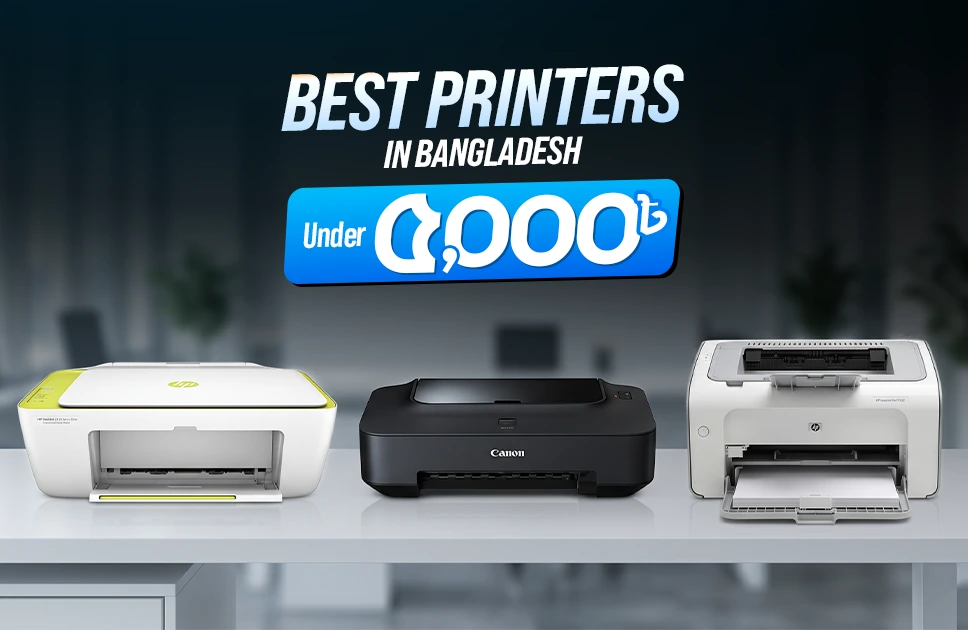
Sometimes, this low price range sits in a strange place. Not too cheap, not enough for a premium either. You mostly end up choosing between simple print-only models or entry-level all-in-ones. Still, a few good ones exist. Just depends on what you actually need. Without waiting any longer, let’s look into a few best printer under 5000 in Bangladesh.
1. HP DeskJet 2135 All-in-One Printer
| Pros | Cons |
| Print scan copy | Slower print speed |
| Easy cartridge use | |
| Compact design |
At first HP enters the list with their classic DeskJet 2135, which is an all-in-one printer machine. This is a printer which does the job and doesn’t require any fancy introduction. And this one kind of proves that. Print, scan, copy, everything in one place, no extra thinking required.
Setup is simple, cartridges don’t fight you, and it fits almost anywhere. Speed is not great, you will notice that if you print in bulk. But for occasional work, assignments, forms, it doesn’t feel like a problem. Feels like the kind of printer people buy and just keep using without complaints.
| Mini Spec | |
| Category | Details |
| Type | Inkjet All-in-One |
| Functions | Print | Scan | Copy |
| Connectivity | USB |
| Features | Energy saving | Easy setup |
If you are someone who prints regularly and wants to avoid the hassle of frequent cartridge changes, you might also want to look into ink tank alternatives. For example, our detailed guide on Epson EcoTank L130 Printer Review: Affordable Ink Tank Printing for Everyday Use explains how refillable ink systems can reduce long-term printing costs while offering consistent performance for daily use.
2. Canon Pixma iP2770 Inkjet Printer
| Pros | Cons |
| High resolution prints | Slightly above budget |
| Borderless photos | |
| Compact build |
Moving on to number 2, it’s the entry of Canon’s Pixma iP2770 Inkjet Printer. And when printing photos, they look better than expected here. Not perfect, but clearly sharper than most cheap printers. That borderless option sounds small, but people actually like it once they try it.
No scanning, no copying, just printing. So yeah, it depends on what you want. If it’s mostly documents and occasional images, this works nicely. And as for the price, sometimes it crosses 5K. Still shows up in lists anyway.
| Mini Spec | |
| Category | Details |
| Type | Inkjet |
| Functions | 4800 × 1200 dpi |
| Connectivity | USB 2.0 |
| Features | Borderless printing |
3. HP LaserJet Pro P1102
| Pros | Cons |
| Fast text printing | Price goes higher range |
| Reliable output | |
| Compact laser body |
This one feels different the moment you use it. No inkjet hesitation, just quick, clean prints. Mostly black and white, but very consistent.
If someone prints a lot of documents, this kind of printer just makes more sense. Less mess, less waiting. Also fits in small spaces without issues. Not really under 5K though. People still consider it when stretching the budget a little.
If you’re looking for know more about printers you should read Epson EcoTank L3210 Printer Review: A Practical Choice for Home and Small Office
| Mini Spec | |
| Category | Details |
| Type | Mono Laser |
| Connectivity | USB |
| Features | High-speed printing |
4. Canon Pixma iP2870 Color Inkjet Printer
| Pros | Cons |
| Very budget friendly | Print only design |
| Simple to install | |
| Decent color output |
This one is more about keeping things cheap. Nothing extra, just prints when you need it. Setup is quick, doesn’t take much effort.
Colors are decent for the price. Not something you’d use for professional work, but for everyday stuff, it’s fine. No scanning or copying again. Just printing. That’s kind of the trade-off here.
| Mini Spec | |
| Category | Details |
| Type | Inkjet |
| Connectivity | USB |
| Features | Easy install | Low-cost ink |
5. HP DeskJet 2320 All-in-One Printer
| Pros | Cons |
| Multi-function use | Slightly higher budget |
| Compact body | |
| Color printing |
Finally, it’s the HP DeskJet 2320, which is an all-in-one printer to solve your regular printing problems go away. When you start using, it feels like a basic home printer that tries to do everything. Print, scan, copy, all covered. Doesn’t feel complicated, which is good.
Works well for small tasks. Documents, color prints, occasional scans. Not super fast, not built for heavy use either. Price can go above your target sometimes, but people still check it because of that all-in-one convenience.
| Mini Spec | |
| Category | Details |
| Type | Inkjet All-in-One |
| Functions | Print | Scan | Copy |
| Connectivity | USB 2.0 |
| Features | Color printing |
Final Words
As for the last few words, if you have gone through the list, you will realize they are not available now but they falls into the most acclaimed printers in the 5000 taka price range. They deliver simplicity of printing with a flexible functionality. Whether you are planning to do basic printing, or require all-in-one functions, they do the job.
And as all of them are very old printers, some might not be available nowadays. Although you can check out new and updated printer models available at Apple Gadgets. Where you will get reliable prices at all kinds of printers.
Still, if your usage is light, home, study, small office, these options are more than enough. Just don’t expect everything in one box at this price.
FAQs
Rabbi Rahman enjoys talking about tech, gadgets and especially smartphones. He’s been writing about them for four years . His favorite topic is discussing innovations in devices, engaging in conversations with others who share his passion for technology.